

Introduction
You have decided to automate alt text generation. Smart move.
But now you are looking at multiple tools. All of them claim to be the best. All of them promise to save you time.
How do you actually choose?
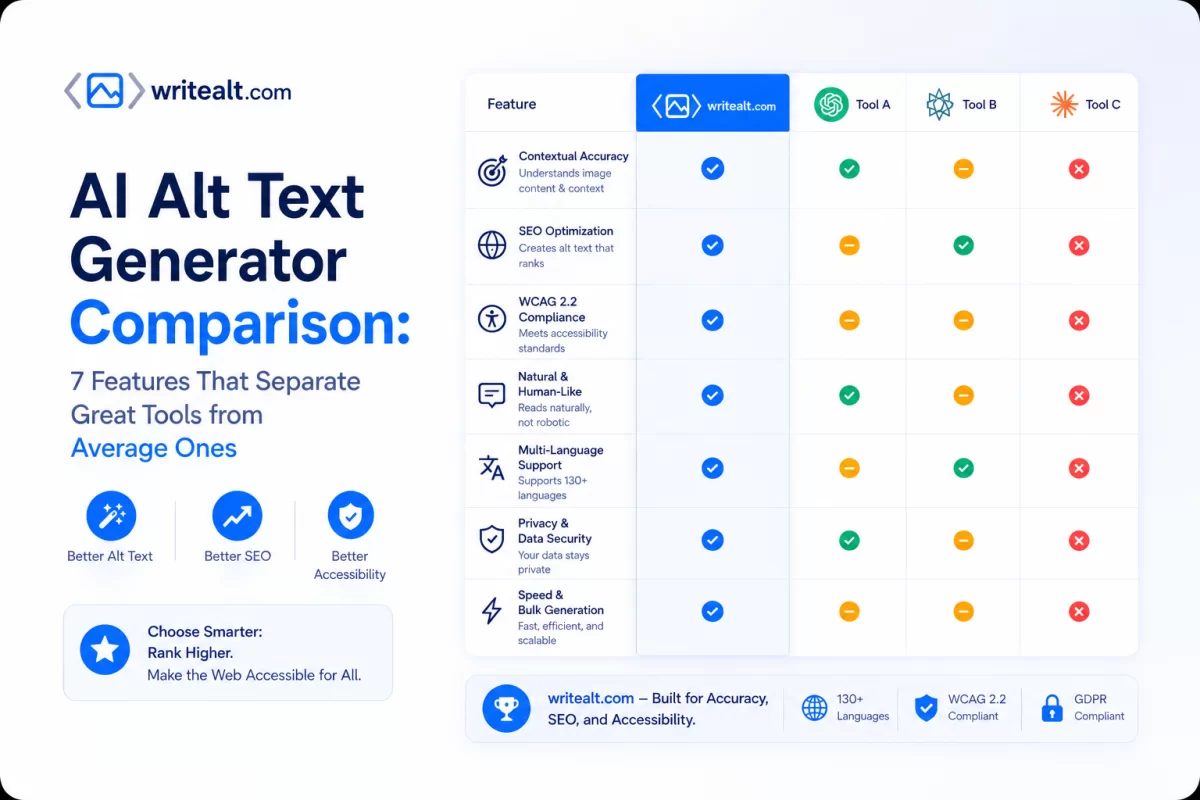
After researching the leading AI alt text generators on the market, we identified 7 key features that separate genuinely useful tools from the ones that will frustrate you.
This guide walks you through each feature. No brand hype. Just objective criteria you can use to evaluate any alt text tool.
Let us start with the most overlooked feature.
Feature 1: Image Security & Privacy
Why It Matters
When you upload product images to an AI tool, those images may contain proprietary designs, unreleased products, or sensitive branding. If the tool stores or exposes those images publicly, you have a problem.
What to Look For
A secure alt text tool should:
Never expose your images via public URLs
Process images on server-side with authentication
Delete temporary files after processing
Have a clear privacy policy about image handling
What Average Tools Do
Many alt text tools upload your images to public CDNs or cloud storage with guessable URLs. Anyone with the link can view your images. Some tools even use your images to train their AI models without telling you.
What Great Tools Do
Great tools protect your images with server-side authentication. Only you — the logged-in user — can access your images. No public exposure. No third-party training. Your images remain your property.
Comparison
| Aspect | Average Tool | Great Tool |
|---|---|---|
| Image access | Public URL anyone can guess | Server-side protected, user-only |
| Privacy policy | Unclear or allows training | Clear, no training on your data |
| Temporary files | May persist indefinitely | Deleted after processing |
Red flag to watch for: If a tool gives you a public URL to preview your image, that same URL can be shared, indexed by Google, and viewed by anyone.
Feature 2: AI Model Quality
Why It Matters
Alt text quality depends entirely on the AI model generating it. Older models produce generic, vague descriptions. Newer models understand context, relationships, and fine details.
What to Look For
Look for tools using the latest vision-capable models. As of 2026, this means models released in 2025 or 2026 — not 2023 technology.
What Average Tools Do
Many alt text tools launched in 2023 or early 2024 and never updated their underlying AI. They still use older models that struggle with:
Multiple objects in one image
Relationships between objects
Colors and materials
Context (e.g., "hiking boot on mountain trail" vs just "boot")
What Great Tools Do
Great tools use the latest generation AI models — specifically vision-capable models from 2025-2026. These models understand:
Multiple objects and their relationships
Colors, textures, materials
Setting and context
Actions and poses
Text within images
Comparison
| Aspect | Average Tool | Great Tool |
|---|---|---|
| AI generation | 2023-2024 models | 2025-2026 models |
| Object recognition | Basic | Advanced with relationships |
| Context understanding | Limited | Strong |
| Detail level | Generic | Specific (colors, materials, setting) |
Red flag to watch for: Tools that do not disclose what AI model they use. Transparency matters.
Feature 3: Advanced Image Format Support
Why It Matters
Modern websites use AVIF, WebP, HEIC, and other advanced formats for better compression and quality. Many alt text tools either do not support these formats or charge extra for them.
What to Look For
A tool should support all common formats without additional fees:
JPG, PNG (standard)
WebP, AVIF (modern web)
SVG, GIF (specialized)
BMP, HEIC (device formats)
What Average Tools Do
Many tools support basic formats only (JPG, PNG). Some support advanced formats but charge extra credits per image.
What Great Tools Do
Great tools support all modern formats at no extra cost. AVIF costs the same as JPG. WebP costs the same as PNG.
Comparison
| Format | Average Tool | Great Tool |
|---|---|---|
| JPG, PNG | 1 credit | 1 credit |
| WebP | 1-2 credits | 1 credit |
| AVIF | Not supported or extra cost | 1 credit |
| HEIC | Not supported | 1 credit |
| SVG | Not supported | 1 credit |
Red flag to watch for: Tools that advertise format support but charge extra for advanced formats.
Feature 4: Bulk Processing Capabilities
Why It Matters
If you have 1,000 product images, processing them one by one defeats the purpose of automation. Bulk processing saves hours or days of manual work.
What to Look For
Upload multiple images at once (50, 100, or more)
Reliable processing without frequent failures
Progress tracking so you know what is happening
Ability to see results in one place
What Average Tools Do
Some tools limit bulk uploads to 10-20 images at a time. Others have unreliable processing that fails on larger batches. Many do not show you progress or which images are done.
What Great Tools Do
Great tools allow large uploads, process reliably (whether queue-based or parallel), show you clear progress, and organize results so you can review and export everything efficiently.
Comparison
| Aspect | Average Tool | Great Tool |
|---|---|---|
| Batch upload limit | 10-20 images | 100+ images |
| Reliability | Frequent failures | Consistent |
| Progress tracking | Unclear or missing | Clear and visible |
| Result organization | Scattered or missing | Folders and history |
Note on processing methods: Some tools use queue-based processing (images process one after another). Others use parallel processing (multiple images at once). Both approaches work well. Queue-based may take a few minutes for large batches. Parallel is faster. Neither affects the quality of the alt text. Choose based on your speed needs.
Red flag to watch for: Tools that hide how many images you can upload at once or charge extra for bulk uploads.
Feature 5: Export Options & Integrations
Why It Matters
Generated alt text is useless if you cannot get it into your website or CMS. Export flexibility saves massive manual copy-paste work.
What to Look For
CSV export (spreadsheet format)
JSON export (developer-friendly)
ZIP download (images + alt text together)
Direct CMS integration (WordPress, Shopify)
What Average Tools Do
Many tools offer CSV export only. You download a spreadsheet, then manually copy each alt text to your website. Fine for 10 images. Terrible for 1,000 images.
What Great Tools Do
Great tools offer multiple export paths:
ZIP file: Download all images with alt text embedded or as sidecar files
CSV: Spreadsheet with image URLs and alt text
JSON: For developers and API workflows
Direct CMS: One-click export to WordPress media library or Shopify product images
Comparison
| Export Type | Average Tool | Great Tool |
|---|---|---|
| CSV | Yes | Yes |
| JSON | Rare | Yes |
| ZIP download | No | Yes |
| Direct to WordPress | No | Yes |
| Direct to Shopify | No | Yes |
Red flag to watch for: Tools that only offer copy-paste or single-image exports.
Feature 6: Language Support
Why It Matters
If your website serves international customers, alt text needs to be in their language. English-only tools exclude non-English markets.
What to Look For
100+ languages
Ability to generate alt text in multiple languages efficiently
Accurate descriptions, not just keyword translations
What Average Tools Do
Most tools support 10-30 major languages. Some require you to upload the same image multiple times for different languages.
What Great Tools Do
Great tools support 100+ languages. Upload once. Get alt text in the languages you need.
Comparison
| Aspect | Average Tool | Great Tool |
|---|---|---|
| Language count | 10-30 | 100+ |
| Upload once for multiple languages | No | Yes |
| Translation accuracy | Basic | High |
Feature 7: Pricing Transparency
Why It Matters
Hidden fees, tiered pricing based on features, and surprise overage charges create frustration and unexpected bills.
What to Look For
Clear per-credit or per-image pricing
No hidden fees for formats or languages
Free trial without credit card
Unused credits roll over (on paid plans)
What Average Tools Do
Some tools advertise low per-image prices but charge extra for:
Advanced formats (AVIF, HEIC)
Batch processing
Export features
Language support beyond English
What Great Tools Do
Great tools have simple, transparent pricing:
One credit per image, regardless of format
All languages included
Bulk processing included
Export features included
Free trial (no credit card required)
Comparison
| Feature | Average Tool | Great Tool |
|---|---|---|
| Advanced formats | Extra cost | Included |
| Languages | Extra cost or limited | Included (100+) |
| Bulk processing | Tiered or extra cost | Included |
| Export features | Tiered or limited | Included |
| Free trial | Often requires credit card | No credit card required |
Putting It All Together
When evaluating an AI alt text generator, ask these 7 questions:
Security: Are my images private or publicly accessible?
AI Model: Is the AI from 2025-2026 or older 2023-2024?
Formats: Are AVIF, WebP, HEIC supported without extra cost?
Bulk Processing: Can I upload 100+ images reliably with clear progress?
Exports: Can I export to CSV, JSON, ZIP, and directly to CMS?
Languages: Does it support 100+ languages efficiently?
Pricing: Is pricing transparent with no hidden fees?
The tool that checks all 7 boxes will save you time, protect your images, and work with your existing workflow.
The tool that misses 3 or more boxes will create new problems while solving one.
The Bottom Line
AI alt text generation is a mature market now. You have options.
But not all options are equal.
Look for security, modern AI, format support, reliable bulk processing, export flexibility, language coverage, and pricing transparency.
Ignore the marketing hype. Check the features.